Adding Cost Centers
The article explains how users with Administrator or Accounting Administrator roles can add new cost centers in Crunchafi Lease Accounting by navigating to Administration > Customization, clicking "+ Add Cost Center," entering the name, and saving it, noting that these cost centers appear on the GL Accounts tab for leases, with no overall limit on cost centers but a maximum of 10 per lease.
Adding Cost Centers
Follow the steps below to add new cost centers to Crunchafi Lease Accounting
1. Go to Administration > Customization.
NOTE
This tab is only available to users with the Administrator or Accounting Administrator roles. Reach out to an admin for assistance if you do not see this tab.
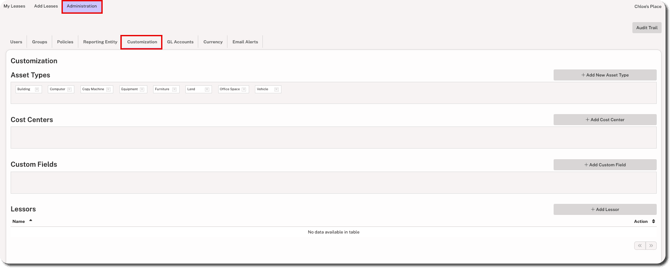
2. Click + Add Cost Center on the right side.

3. Enter the name and click Save.
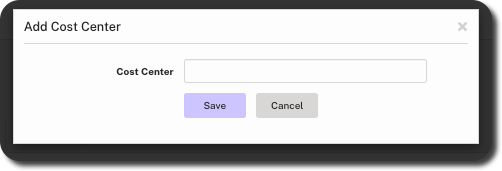
Cost centers added here show on the GL Accounts tab when adding or editing leases. There is no limit to the number of cost centers that can be created. However, a maximum of 10 cost centers can be associated with an individual lease.
Was this article helpful?
YesNo