Cloning a Lease In Crunchafi Lease Accounting
The article explains how to clone a lease in Crunchafi Lease Accounting by selecting the clone option from the My Leases page, updating the lease name, editing necessary details across tabs, and saving changes, noting that revised leases cannot be cloned and that cloning can also remove the "Review + Approve" requirement if disabled.
Cloning a Lease
Cloning a lease is helpful for leases with identical or similar attributes of an existing lease
NOTE
Leases that have been revised cannot be cloned.
From the My Leases page:
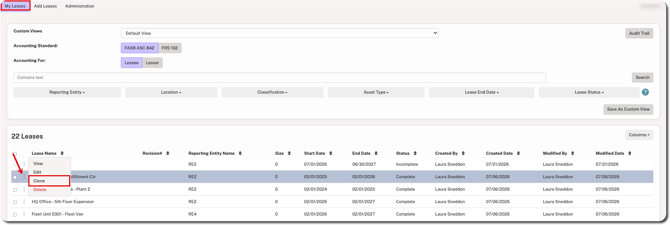
1. Hover over the ⋮ (more) option to the left of the lease name and select Clone.
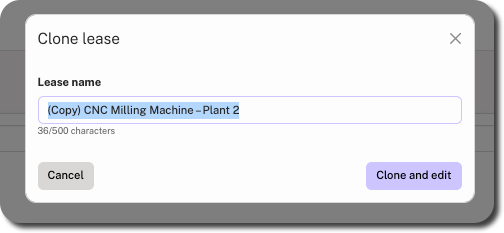
2. Update the lease name and click Clone and edit.
3. For each tab in the lease flow, make the necessary changes and click Save Changes.
TIP
Cloning a lease can also be used to remove the "Review + Approve" requirement from a lease if the feature has already been disabled. For instructions, click here.
Was this article helpful?
YesNo