Connecting to MYOB Through a Shared Secure URL
The guide details the step-by-step process for an Admin user to securely connect MYOB Business to Crunchafi Data Extraction via a shared URL, including logging in, selecting entities, linking user IDs, authorizing access, and completing the data collection with progress updates and confirmation.
Share financial reports from MYOB through a secure URL for a Crunchafi Data Extraction collection
Requirements:
- You must log in as an Admin User from your MYOB Business subscription in order to approve the connection to Crunchafi Data Extraction.
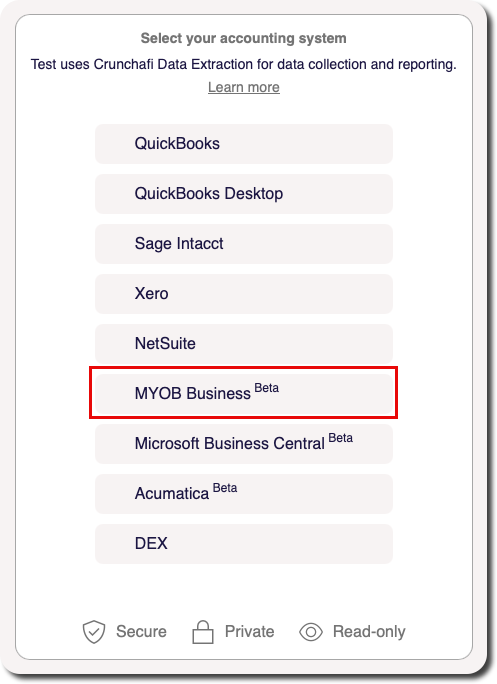
Select your accounting system
On the initial landing page, click the button for MYOB to start the collection.
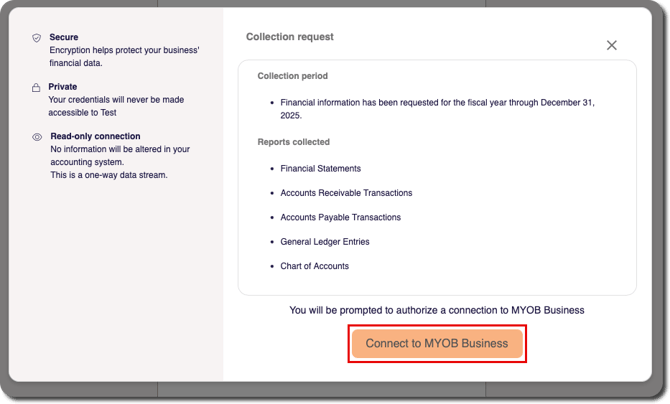
Review the requested information
The next screen provides additional background information about Crunchafi Data Extraction and the process for sharing your financial information. Click Continue to proceed.
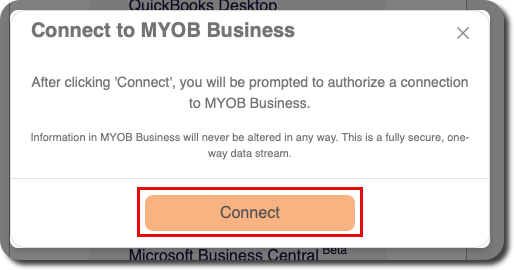
Confirm connection choice
Click the Connect to MYOB button to launch the MYOB login screen.
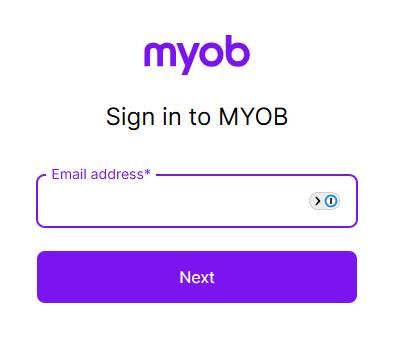
Sign In to MYOB Business using your Admin login information
In the official MYOB Log In window, provide the Email address and Password for your account with access to the correct MYOB company.
Note: as outlined above, the account must be an Admin-level user to grant permission to Crunchafi Data Extraction.
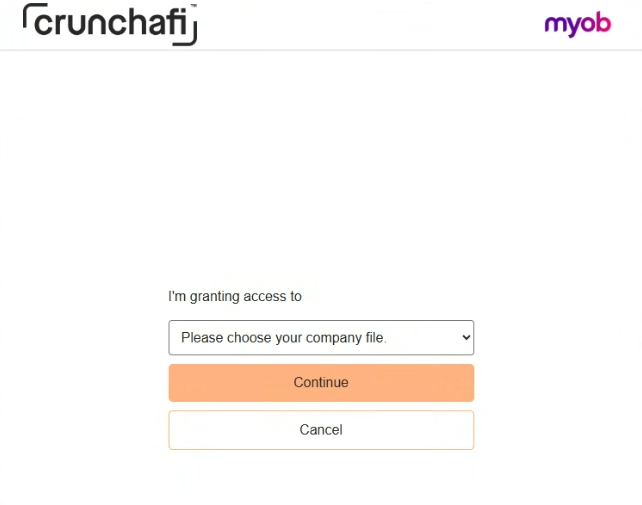
MYOB will then allow you to select which entity or entities you would like to give Crunchafi Data Extraction access to
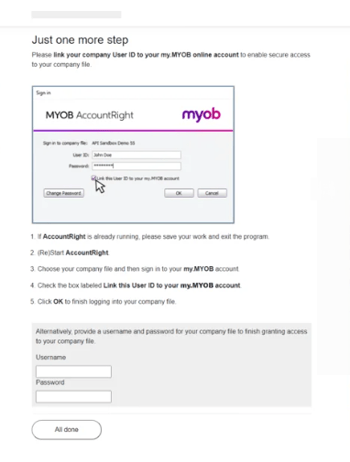
Link your company User ID to your my.MYOB online account
You will need to link your company User ID to your my.MYOB online account to enable secure access to your company file and provide access to Crunchafi Data Extraction. A pop-up will appear with instructions on how to continue granting permission to your file.
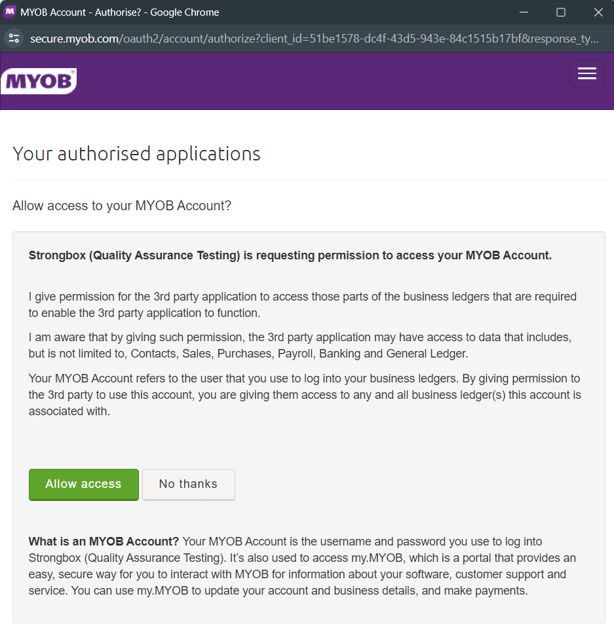
MYOB will confirm that you are authorizing Crunchafi Data Extraction access to your account
Collecting from MYOB
When the connection starts, the portal will provide a progress bar and status updates.
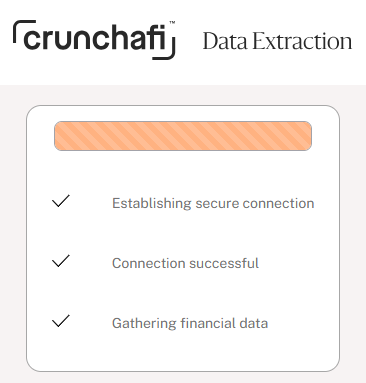
Congratulations!
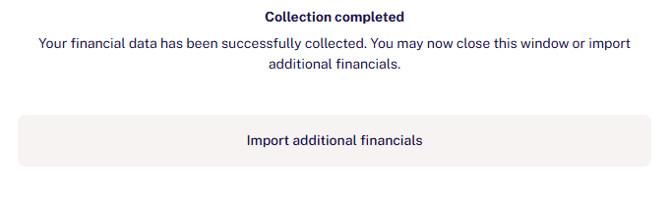
The Crunchafi Data Extraction Portal window will announce when the collection is complete. You've successfully shared reports from MYOB!
Your financial institution may give you an opportunity to upload additional documents or download a copy of the submitted reports.
Related
How to Use Crunchafi Data Extraction (formerly Strongbox) to Ace New Client Assessments in CAS
The article explains how Crunchafi Data Extraction (formerly Strongbox) can enhance Client Advisory Services (CAS) practices by improving new client assessments—critical for accurately pricing services, identifying client needs, and resizing billing plans—to help firms secure and maintain appropriately priced clients for sustainable growth.
User Permissions and Roles in the Crunchafi Data Extraction Portal
The Crunchafi Data Extraction portal distinguishes between Default Users, who can create and manage Workspaces they have access to and request additional access, and Administrator Users, who have all Default User permissions plus the ability to manage all users and Workspaces across the firm, including viewing financial data and controlling user roles and access permissions portal-wide.
About Crunchafi
Crunchafi, formed in 2024 from the merger of LeaseCrunch and Finagraph, provides intuitive software solutions that help over 750 CPA firms and 27,000 companies streamline complex lease accounting, automate real-time financial data collection and analysis, improve workflow efficiency, and strengthen client relationships, earning a 4.8-star rating on G2 and partnering with 10 alliances to support accounting and financial professionals worldwide.
Pricing | Crunchafi
Crunchafi offers separately priced Lease Accounting and Data Extraction software tailored for teams of all sizes, featuring audit-ready reports, live training, personalized support, and fast implementation, with Lease Accounting priced per lease per year and Data Extraction pricing available upon sales inquiry, while including training and support at no extra cost.
CPA Firm Alliances & Industry-Leading Partners
Crunchafi collaborates with prominent CPA firm alliances such as AGN International, BDO Alliance USA, and Moore, and partners with industry leaders like Wolters Kluwer and Oracle NetSuite to streamline lease accounting and data extraction for their members, while inviting new partnerships and offering demos to enhance financial and accounting efficiency.
Crunchafi | Lease Accounting & Data Extraction
Crunchafi offers intuitive SaaS solutions for CPAs that automate lease accounting and financial data extraction, providing dual-access, audit-ready reports, standardized Excel outputs, and compliance with major accounting standards to streamline workflows, increase firm capacity, and enhance client relationships through secure, customizable, and user-friendly software with comprehensive support.