Email Alerts
Crunchafi Lease Accounting offers an Email Alerts feature that allows users and teams to set up automated notifications for important lease-related events, with guidance on creating user groups for easier management, accessible via the Administration > Email Alerts section.
Email Alerts
Use Crunchafi's Email Alerts to stay on top of important lease dates
View our walk-through or see the steps below to learn about setting up and managing Email Alerts in Crunchafi Lease Accounting.
Tourial

Contact Support
Set-up email alerts to receive notifications about important events related to your leases.
Start Tour


reCAPTCHA
Recaptcha requires verification.
protected by reCAPTCHA
With Email Alerts, you and your team can receive notifications about important events related to your leases without having to manually keep track or rely on others for reminders.
Getting Started
TIP
If multiple people need to receive an email alert, we recommend creating a group of users under the Groups tab to simplify email alert setup and maintenance.
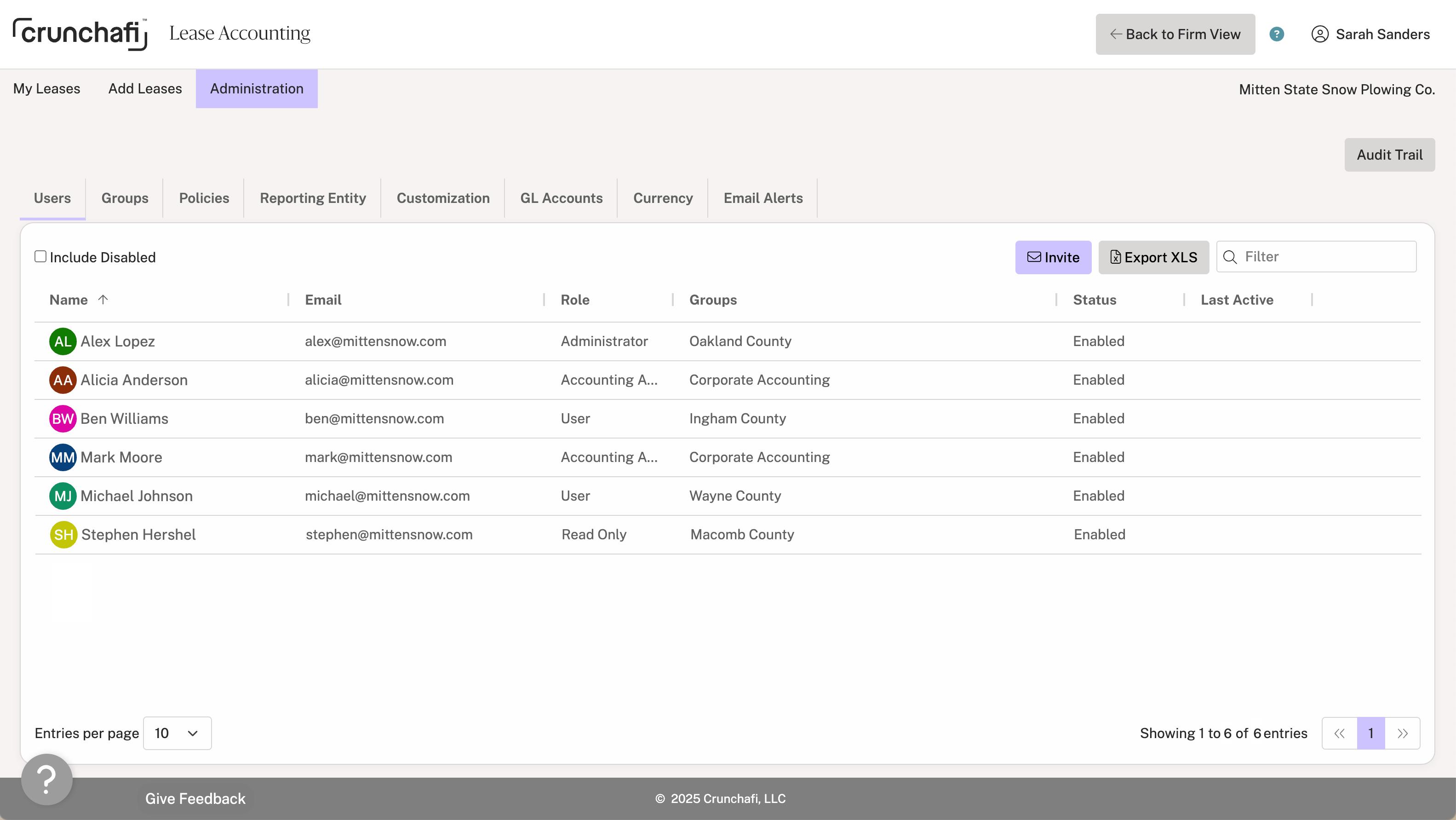
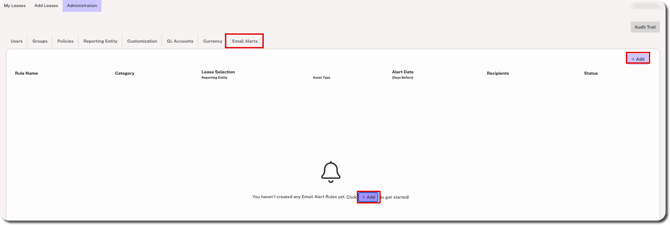
1. Go to Administration > Email Alerts and click the + Add button.
2. Select the following from the Add Alert Rule window and click Save:
- Rule Name: Give the email a descriptive name.
- Category: Select from the end date or stream change category options (e.g., Lease End Date or Lease Payment/Receipt Stream Changes).
- Lease Selection: Select one Reporting Entity (or leave it set to all Reporting Entities) and select one Asset Type (or leave it set to all Asset Types).
- Status: Set to Enabled by default, meaning that the alert will be sent to specified users based on the rule details. Change to Disabled if you do not want the alert to go out yet.
- Email Alert: Enter the number of days before the event the alert should be sent. To set multiple intervals, enter the number of days and press enter/return on your keyboard. For example, you can be notified 15 days and 2 days before an lease end date.
- All Users / Groups & Users: Set to All Users by default, meaning every user set up in your Crunchafi account will receive the alert. To customize the recipient list, select Groups & Users and click on the Add Recipients dropdown.
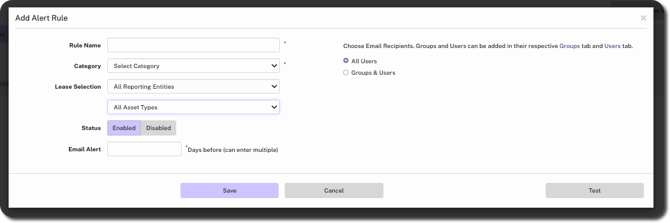
3. Click Test in the bottom-right corner if you want to receive a sample alert. This only sends the sample alert to your email address.
Email Alert Actions
You can take the following actions for individual Email Alerts (at the end of the row):
- Edit: Click the pencil to make changes to the rule, such as the name, category, alert frequency, and recipients. You can also disable the alert from the edit view.
- Copy: Make a copy of the Email Alert and customize as needed.
- Delete: Remove the alert from your Crunchafi account. Alternatively, you can disable the alert by using the edit option.

NOTE
Email Alerts can only be managed by users with the following roles: Administrator, Accounting Administrator, Firm Administrator, and Firm User. Non-admin users, however, can be selected as recipients for the Email Alerts. Make sure that @crunchafi.com is on your safe sender list to avoid alerts going to spam folders.
Was this article helpful?
YesNo